How to 2x your CVR on Google with a tour
Most Google landing pages only have a Book a demo button. Add a product tour as a second way to convert and the page can double its conversion rate.

The short answer
Most landing pages built for Google Ads have one call to action: Book a demo. That only converts the people who are ready to talk to sales today. Everyone else leaves, and you paid for the click.
Add a product tour as a second way to convert and you capture the intent you were missing. Done well, it can double or triple the conversion rate of a standard book-a-demo page. We’ve seen it happen for many of our clients. Here’s how to set it up.
High intent doesn’t mean ready to talk
Every click from Google comes from a keyword: a topic plus an intent modifier. Someone searching for ‘b2b marketing agency’ or ‘[competitor] alternative’ is actively looking, which is why Google leads close faster than social.
But actively looking isn’t the same as ready for a sales call. Plenty of those searchers want to see the product first, compare their options and work out whether it fits, all before they’ll give a salesperson 30 minutes.
Three types of people land on your page
Everyone who lands on your page falls into one of three groups. Some want to talk to sales. Some want to learn more but don’t want to talk to sales. And some don’t want to learn more at all.
A page with only a demo CTA serves the first group. The second group, usually the biggest, has nowhere to go. Their only option is to scroll around your website, and you never capture their details.
That’s the portion of intent most pages miss. A tour is the self-learning CTA that catches it: a way to convert for people who want to see the product without speaking to anyone.
What every Google landing page needs
Every landing page we build for Google has two ways to convert: a demo conversion for the people ready to talk, and a self-learning conversion for everyone else. Around those sit exit intent pop-ups, copy written for humans and the usual CRO principles.
The tour is the self-learning conversion. A ‘Get started for free’ button or a self-serve sign-up does the same job if you have one. The rest of this post uses a tour, because it works for almost any B2B product.
Most pages just have ‘Book a demo’
Look at most B2B landing pages and there’s one thing to do. Some have a one-field form to get you started. Some put a big form above the fold. Some just have a button. Every one of them says the same thing: book a demo.
That’s massively limiting. Not everyone who wants to learn more is ready to book a demo, so the page turns them away. Here’s the page we’ll start from. In the next few steps we’ll make a few adjustments to it.
The easiest fix: add a secondary CTA
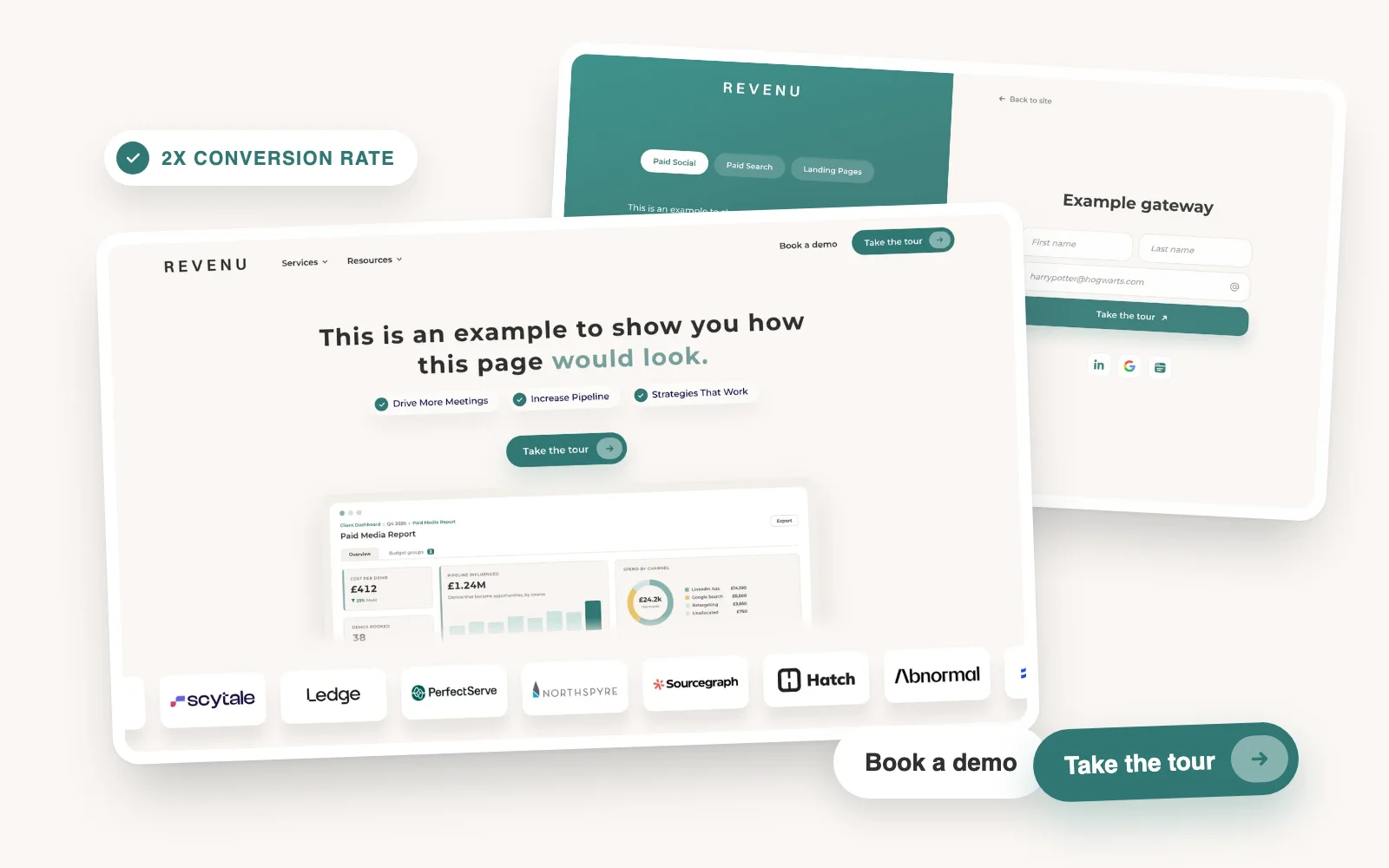
You don’t need to rebuild the page. The easiest way to add a tour is as a secondary CTA next to Book a demo: same place, same size, a softer ask. ‘Take the tour’ or ‘Test [product] for free’ is enough.
Keep the demo button as the primary and put the tour button beside it, in the hero and again wherever the demo CTA repeats down the page. Here’s where it sits.
The tour button goes to a gateway
When someone clicks the tour button, don’t send them to a product page or a video. Send them to a gateway: a short, app-like page with one job, which is to capture their details and start the tour.
A gateway is modelled on the sign-up flows of product-led companies. No navigation, no distractions, a clear headline that says what they’re about to see, and a form. It’s one of the highest converting pages you can put behind a Google ad.
Set the form to the conversion rate you want
The form on the gateway is a dial. Fewer fields means a higher conversion rate and less to work with. More fields means fewer leads and better ones. You decide where to set it.
Asking for first name, last name, email and company is usually fine. It converts lower than asking for an email alone, but it gives sales enough to qualify and follow up. If you only want volume, ask for the email and enrich the rest later.
The other way: make the tour the primary CTA
The second option is to flip the two buttons. The tour becomes the primary CTA and Book a demo becomes the secondary.
A tour is a much softer conversion than a demo. There’s no calendar, no salesperson and no commitment, so more people go for it. Leading with the self-learning experience puts the ask most visitors are willing to say yes to in the most visible place.
Double or triple the page’s conversion rate
Putting the softer conversion first can double or triple the conversion rate of a standard book-a-demo page. We’ve seen it for many clients, on the same traffic and the same ad spend.
The demo requests don’t disappear either. The people who were going to book a demo still do. You’ve added a second group on top of them, and some of that group goes on to book a demo after the tour.
A tour isn’t the end of the funnel
Here’s the full loop. Someone searches on Google, clicks your ad and lands on your page. They take the tour and you capture their details. If the tour is good, it makes them want more, and that leads to a demo.
Just because you got the tour doesn’t mean you stop pushing for the meeting. During the tour, keep a floating CTA on screen so they can book a call or get pricing the moment they’re ready. At the end, make a hard push for a meeting. Don’t call it a demo, because they’ve just seen one. Offer a quote, a consultation or a pricing call instead.
The takeaway
A demo button only converts the people ready to talk. Add a tour as a second CTA, send it to a gateway with a form set to the conversion rate you want, and keep pushing for the meeting during and after the tour. That’s how a Google landing page doubles its conversion rate.
In this article
- The short answer
- High intent doesn’t mean ready to talk
- Three types of people land on your page
- What every Google landing page needs
- Most pages just have ‘Book a demo’
- The easiest fix: add a secondary CTA
- The tour button goes to a gateway
- Set the form to the conversion rate you want
- The other way: make the tour the primary CTA
- Double or triple the page’s conversion rate
- A tour isn’t the end of the funnel
- The takeaway
- Drive More Meetings
- Increase Pipeline
- Strategies That Work
We run LinkedIn and Google Ads for B2B brands, and we’re good at it.
More articles
Back to blog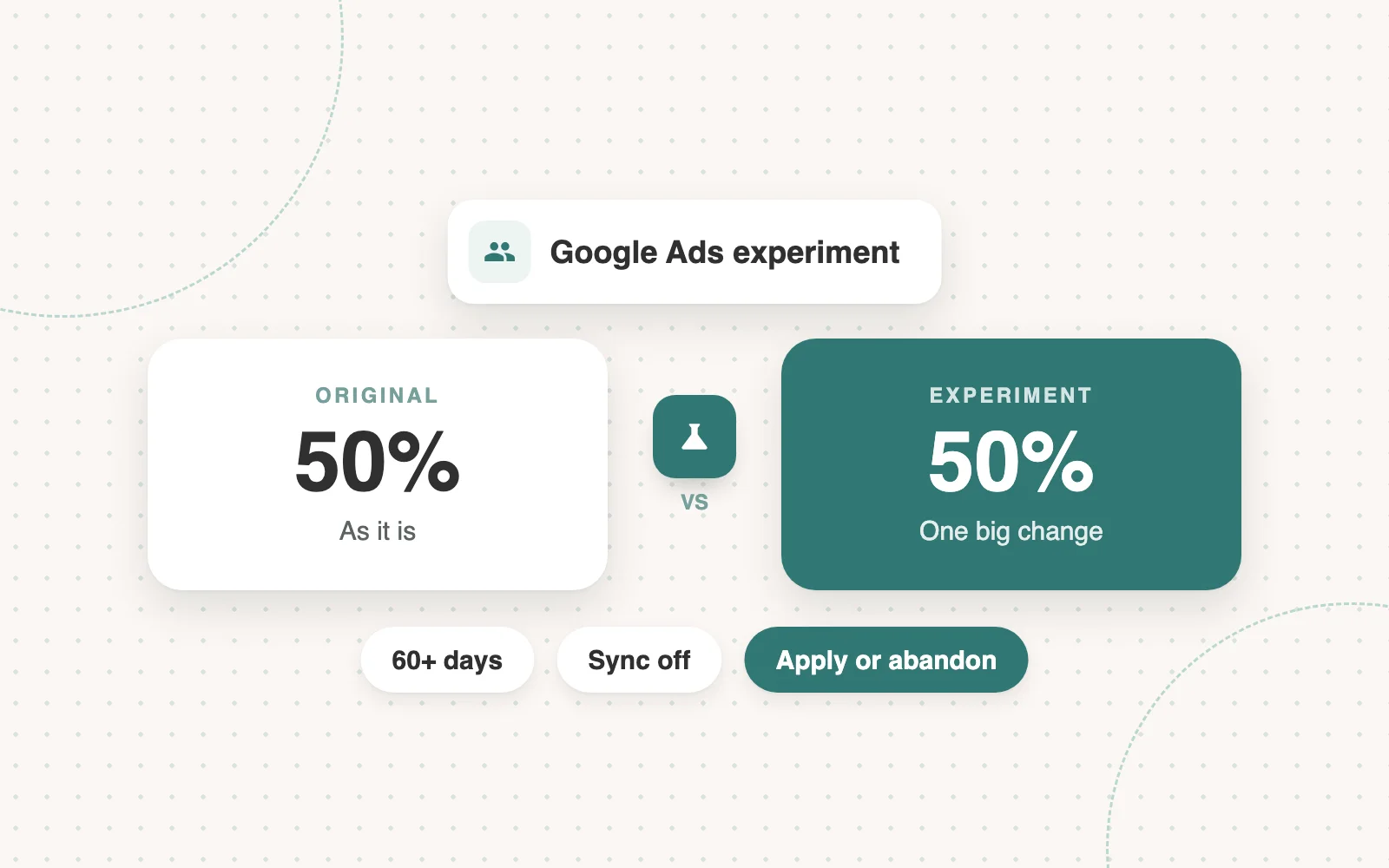
Google Ads
How to run experiments in Google Ads
Google Ads experiments are for big changes: a different landing page or a different way of optimising. Most of ours test two landing pages. Here’s when to run one and how.
 Jimmy Millard4 min read